 Wild Rose Works

RitualHeart for iPhone
RitualHeart
Your shopping list, what you have at home, your recipes and what you eat, in one place.
- Status
- Public beta on TestFlight · App Store release planned
- Get it
- Join the beta on TestFlight
- More
- How to usePrivacy policy
For iPhone with iOS 26 or later. The beta has no ads.
About the app
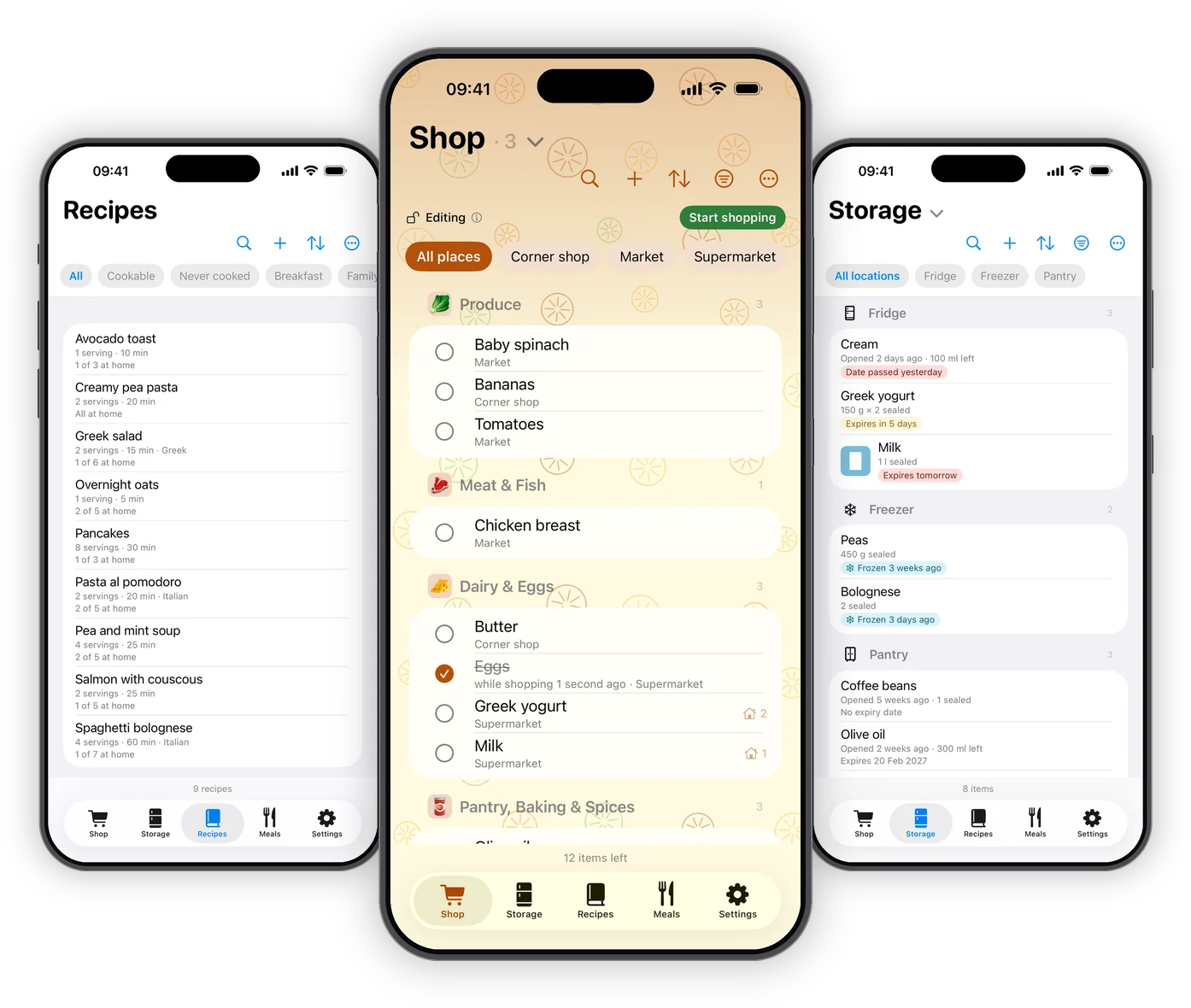
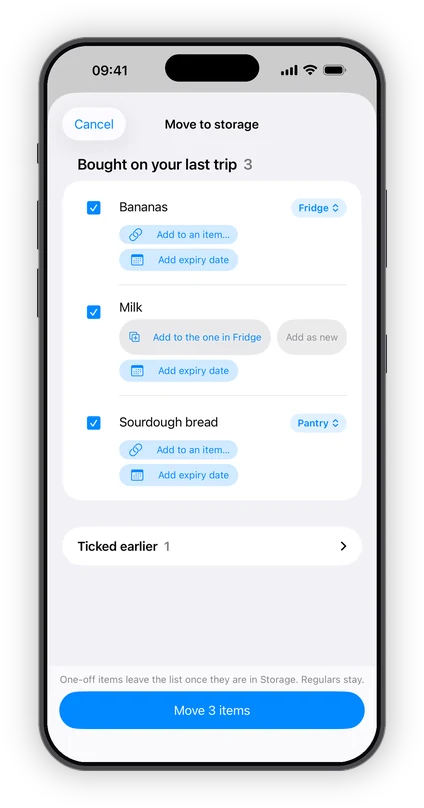
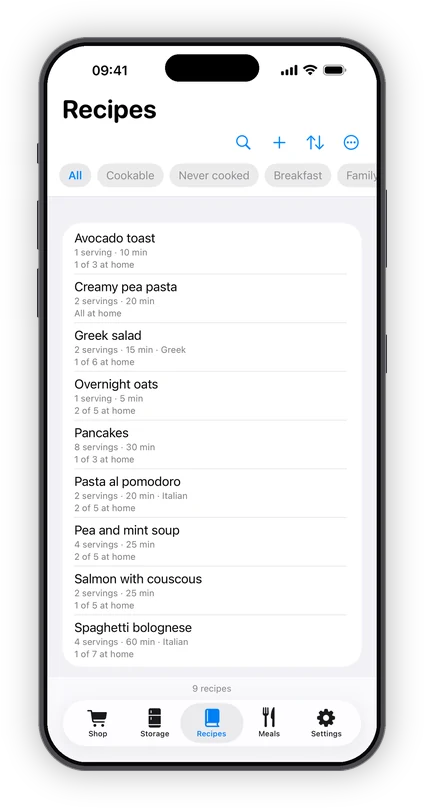
RitualHeart keeps your kitchen in one place: your shopping list, what you have at home, your recipes and what you eat, all connected. After a trip, what you bought moves into Storage in one go. Each recipe shows which ingredients you already have, such as “6 of 7 at home”, and marking it as cooked takes them out of Storage once you confirm.
Share a list or a storage with your household through iCloud. If you already use an AI assistant, it can read your receipts, shelves, recipes and meals: you paste its answer back and check every line before anything is saved. RitualHeart itself contains no AI.
- Device
- iPhone, iOS 26 or later
- Status
- Public beta on TestFlight
- Price
- Free, with one non-personalized banner ad
- Account
- None needed
- Sync
- Your own iCloud
- Languages
- English, Slovenian
- Developer
- Anja Remic, Wild Rose Works
Private, and honest about it
- No accountOpen the app and start. There’s nothing to sign up for and no password to remember.
- Your own iCloudWhat you keep stays on your iPhone and in your own iCloud. There’s no RitualHeart server, so nobody else can see it.
- One small ad, never personalizedA single banner keeps the app free. It never sees your lists, storage, recipes or diary, and you can export everything to a file at any time.
Four tabs, one kitchen
- ShopRegulars stay on the list, one-offs go once they are bought. Share a list with the people you shop with, and after a trip put what you bought into Storage in one go.
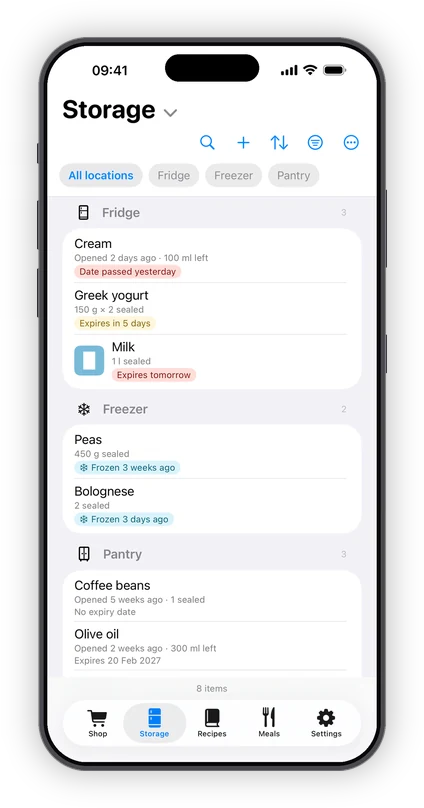
- StorageWhat you have at home, where it is kept and, if you like, when it expires. Keep more than one storage, such as a cellar or a medicine cabinet, and share each one on its own.
- RecipesEach recipe shows what you have at home for it, its nutrition per serving and its allergens, as far as the app knows the ingredients. Mark it as cooked, and you confirm what comes out of Storage.
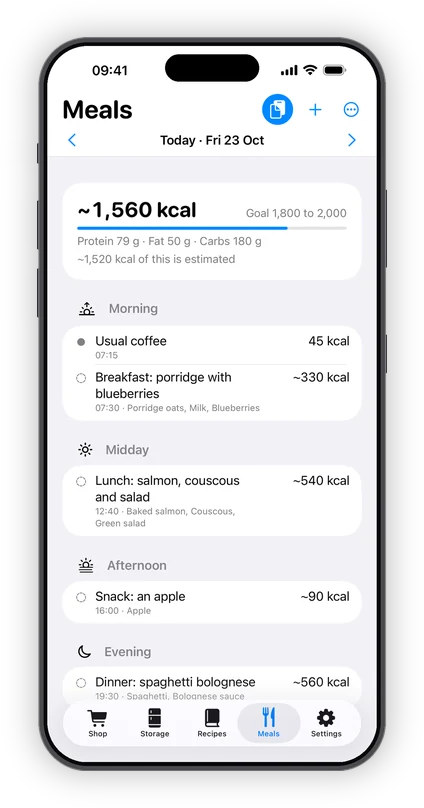
- MealsA calm food diary with a goal you set yourself. Let your own AI assistant read a photo or a label, scan a barcode, or add a meal by hand.
Join the beta
RitualHeart is in a public beta on TestFlight, Apple’s app for testing new apps, until it comes to the App Store.
- What you getThe whole app, free, with no ads.
- Your data staysWhat you enter stays when the app comes to the App Store.
- How to joinOpen the link on your iPhone, install TestFlight if you don’t have it, then install RitualHeart from there.
- How to leaveDelete the app, or tap Stop Testing in TestFlight. You can export your data first.
Support
Need a hand? Email ritualheart@wildroseworks.com and I’ll get back to you. Please mention your device and iOS version so I can help faster. New to the app? How to use explains each tab, step by step. It’s in the app too: Settings → How to use.
Do I need an account?
No. RitualHeart works right away with no sign-up. What you keep in it lives on your device and syncs through your own iCloud.
How does syncing work?
If you are signed in to iCloud, your lists, storages, recipes and food diary sync automatically across your Apple devices. There is no separate RitualHeart login, and the app works offline; changes sync when you are back online.
How do I share a list or a storage?
Tap the list’s or the storage’s name at the top, then Share this list… or Share this storage…, and invite people by their email address or phone number (they need an iCloud account). For each person you choose Can make changes or View only. Once they accept, everyone sees changes live. You can stop sharing at any time. Recipes and the food diary are never shared.
I deleted something by mistake. Can I get it back?
Yes, for 30 days. On the shopping list, ⋯ → Recently changed lists every recent change with who made it: a deleted item has a Restore button and an edit can be undone. In Storage and Recipes, ⋯ → Recent activity lists what was deleted, with Restore. In Meals, ⋯ → Recently removed has Put back.
Can I move items to another list or storage?
Yes. On the shopping list, choose Select multiple items from the ⋯ menu, tick the items, then tap Move to list… and pick a list, or create a new one on the spot. In Storage, touch and hold an item and choose Move to another storage… from its menu.
Does RitualHeart use AI?
The app contains no AI and sends nothing to one. For receipts, what’s at home, recipes and the food diary, it can copy instructions that you paste into an AI assistant you already use, together with the photos or text you choose. You paste the assistant’s answer back, and the app checks it and shows you every line before anything is saved.
What does the barcode lookup in Meals send?
When you scan a barcode in Meals, the app can look the product up at Open Food Facts, a free public food database. It asks before the first lookup and sends the barcode, along with the app’s name and version. Nothing about you is included. You can switch it off in Settings → Meals.
Can I get my data out?
Yes. Settings → Export your data… saves a readable JSON file with your lists and items, what is in your storages, your recipes, photos, price history and receipts, and your food diary, which you can keep anywhere you like. Import from a file… adds what such a file holds to what you already have.
Why is it free, and can I remove the ad?
A single, unobtrusive banner keeps RitualHeart free. Ads are non-personalized and are never shown while you are entering data. An ad-free option is planned for a future update.
Is my data private?
Yes. There is no RitualHeart server. Your data stays on your device and in your own private iCloud, and it is never sold. The privacy policy has the details.
What’s coming next?
RitualHeart keeps growing in free updates, around the same calm loop: what you buy, what you have at home, what you cook and what you eat.